If you want to start a new project, proceed as follows:
1) Open MAXQDA and click on New project in the start window :

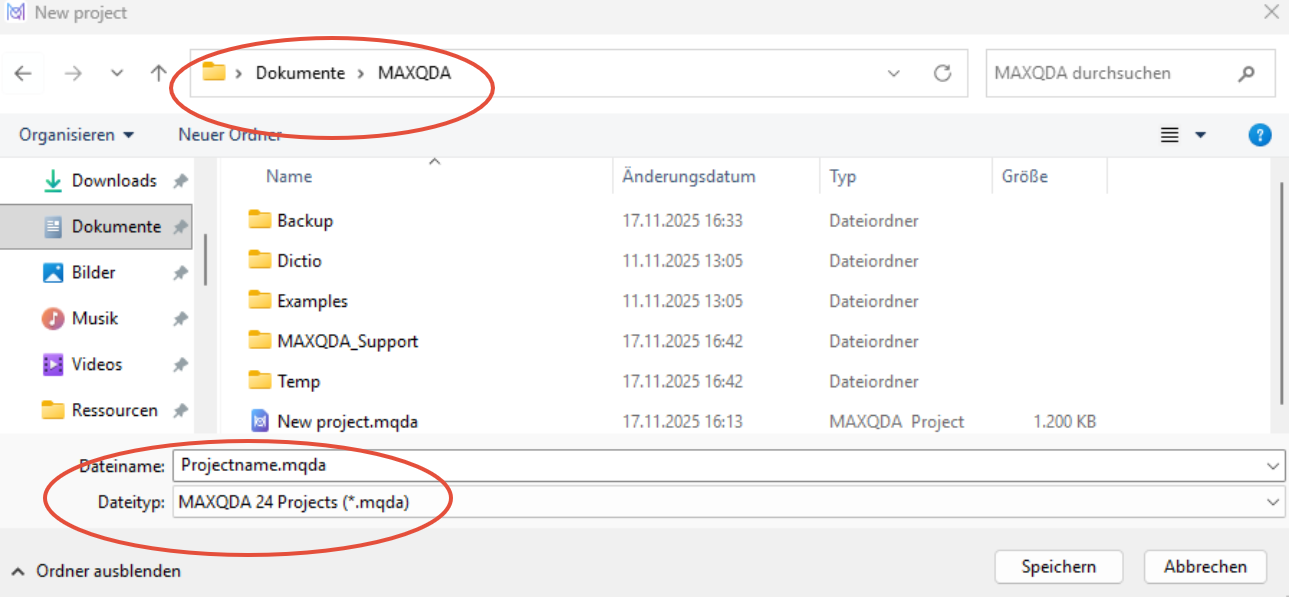
2) Save your new project locally in a folder on your computer:
3) The new project will now open automatically:
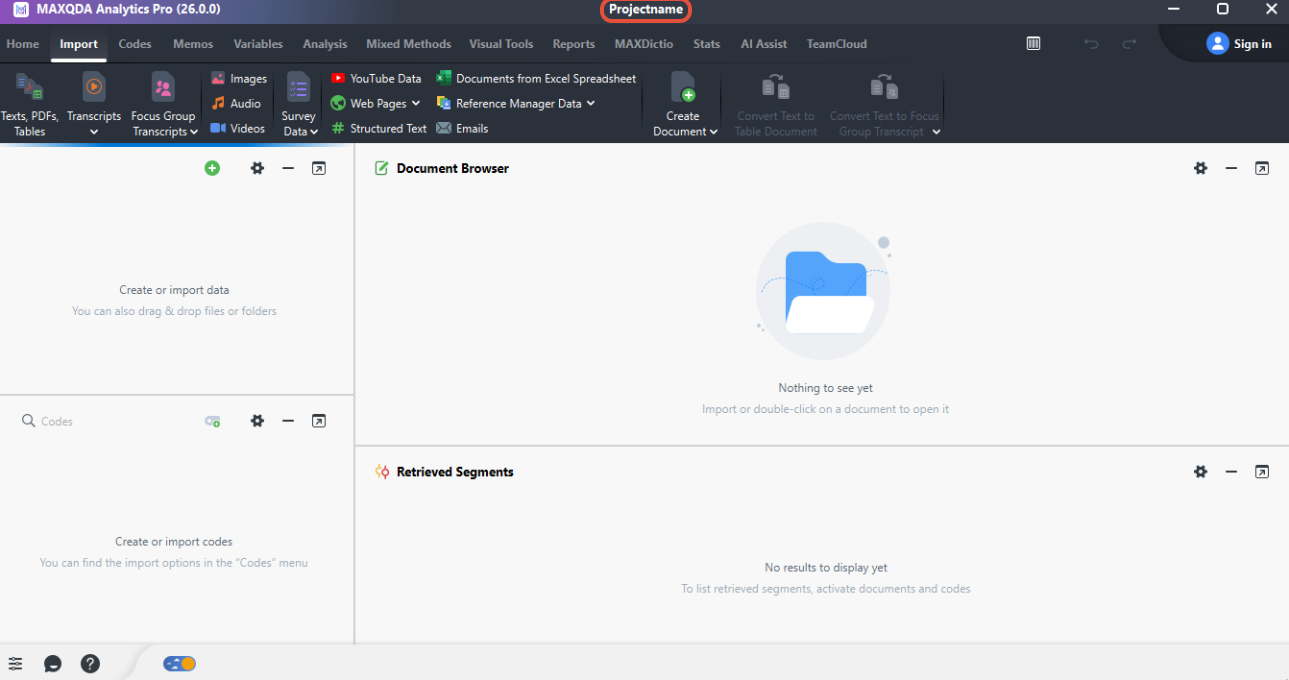
All changes in this project are saved automatically. You can also create manual copies for greater security.
4) You can now start importing your documents/data etc:
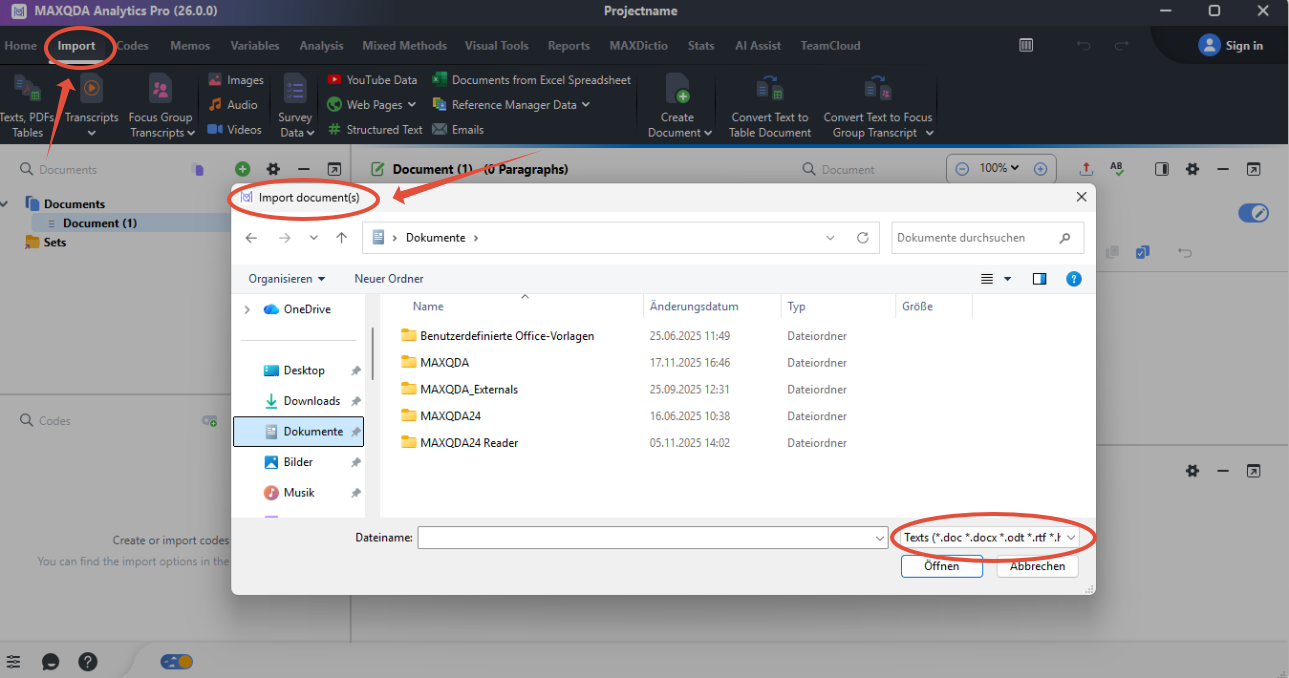
Now you're ready to go! Have fun coding :-)
Learn more
Was this article helpful?
That’s Great!
Thank you for your feedback
Sorry! We couldn't be helpful
Thank you for your feedback
Feedback sent
We appreciate your effort and will try to fix the article