Switching from the MAXQDA Free Trial to the Full Version
If you are currently using the MAXQDA free trial and have purchased a license, congratulations on taking the next step in your qualitative data analysis journey! This guide walks you through transitioning from the trial to your full version, ensuring a smooth and seamless experience.
How to Activate Your MAXQDA License
- Open MAXQDA (you may need to close and restart the application first).
- In the activation dialog, select “Activate MAXQDA”.
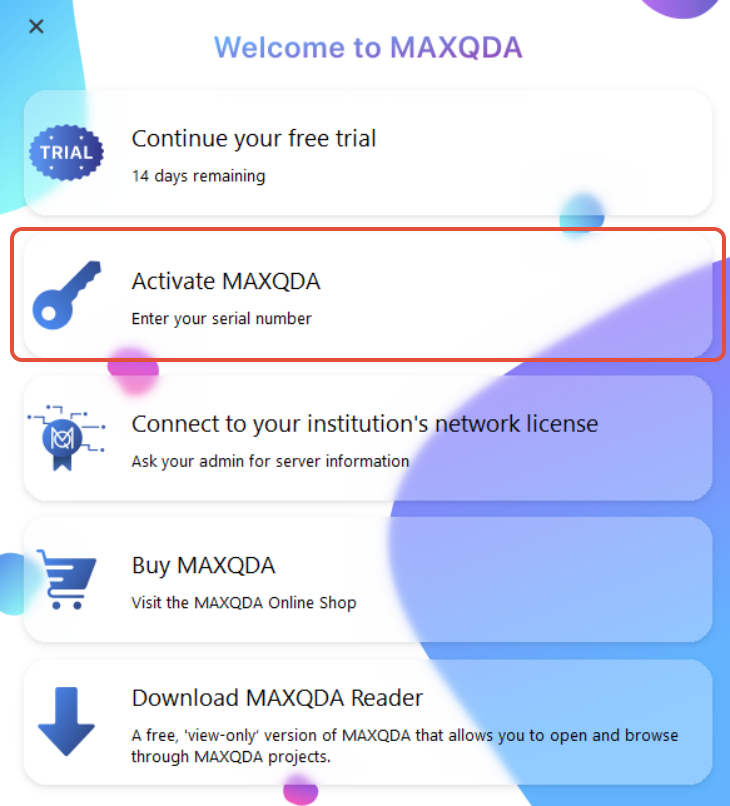
- Enter your purchased serial number.
- Your MAXQDA license is now activated on your device,
- You will immediately have full access to all the features included with your license (such as AI Assist Premium).
Was this article helpful?
That’s Great!
Thank you for your feedback
Sorry! We couldn't be helpful
Thank you for your feedback
Feedback sent
We appreciate your effort and will try to fix the article