You installed MAXQDA 26 or MAXQDA 27, and now you can't find your TeamCloud project anymore, even though you can see that you are a member of the project when you check the TeamCloud webpage: MAXQDA TeamCloud ?
These aspects suggest that the project you could see before installing MAXQDA 26/27 is still a MAXQDA 24 Team Project. To ensure that all members can successfully view and work with the project after opening MAXQDA 26/27, everyone must be working with the same version.
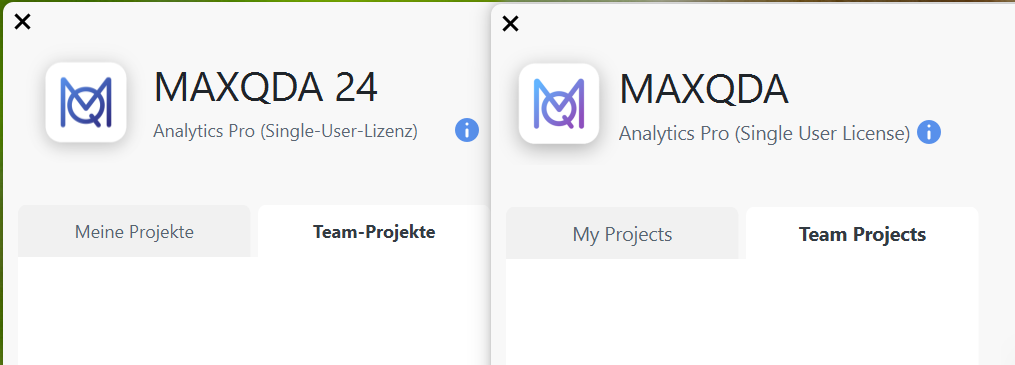
Left: MAXQDA 24 (.mx24)
Right: MAXQDA 26/27 (.mqda) --> the newest version, which can be upgraded here: Download MAXQDA for Windows and Mac - MAXQDA
You can check in your WebApp of TeamCloud account whether it is
- a MAXQDA 24 project (right)
- or a MAXQDA 26/27 project (left).
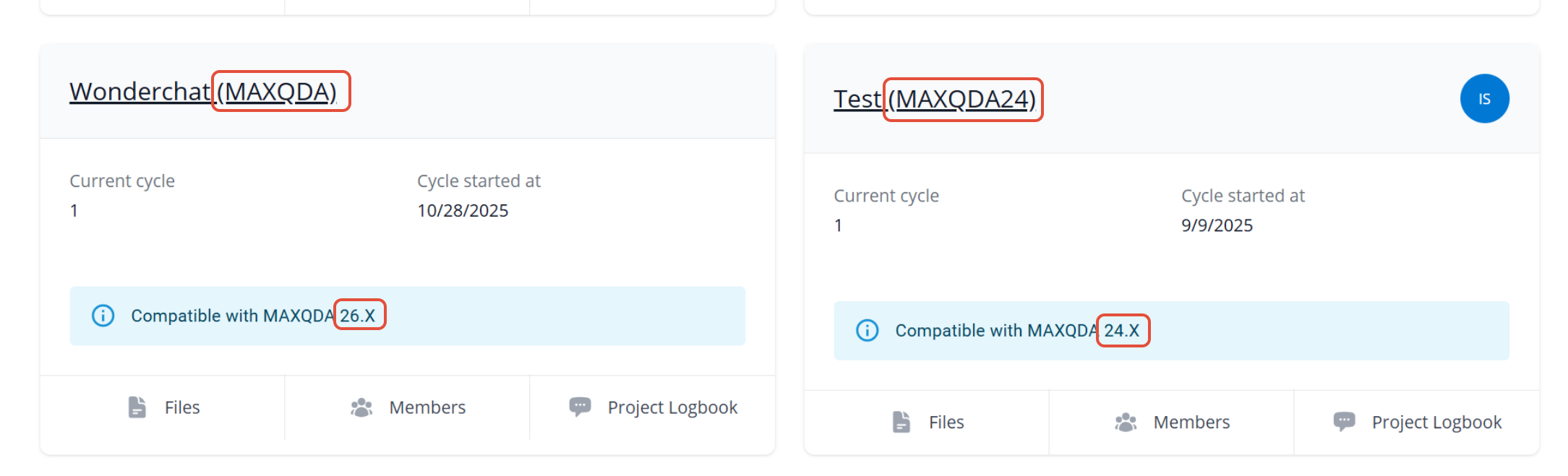
Only the team lead can upgrade the team project to the latest version of MAXQDA. You can read about how to do this here: How to migrate a MAXQDA 24 TeamCloud project to MAXQDA 26? : MAXQDA Support
More information can be found here: Migrating TeamCloud Projects from MAXQDA 24 - MAXQDA
Was this article helpful?
That’s Great!
Thank you for your feedback
Sorry! We couldn't be helpful
Thank you for your feedback
Feedback sent
We appreciate your effort and will try to fix the article