You can cancel AI Assist Premium or TeamCloud in the Subscription Manager effective at the end of the current billing cycle.
- Log in to your Subscription Manager account.
- Open the relevant subscription by clicking the "View" button.
In your subscription overview, click the button "change next cycle":

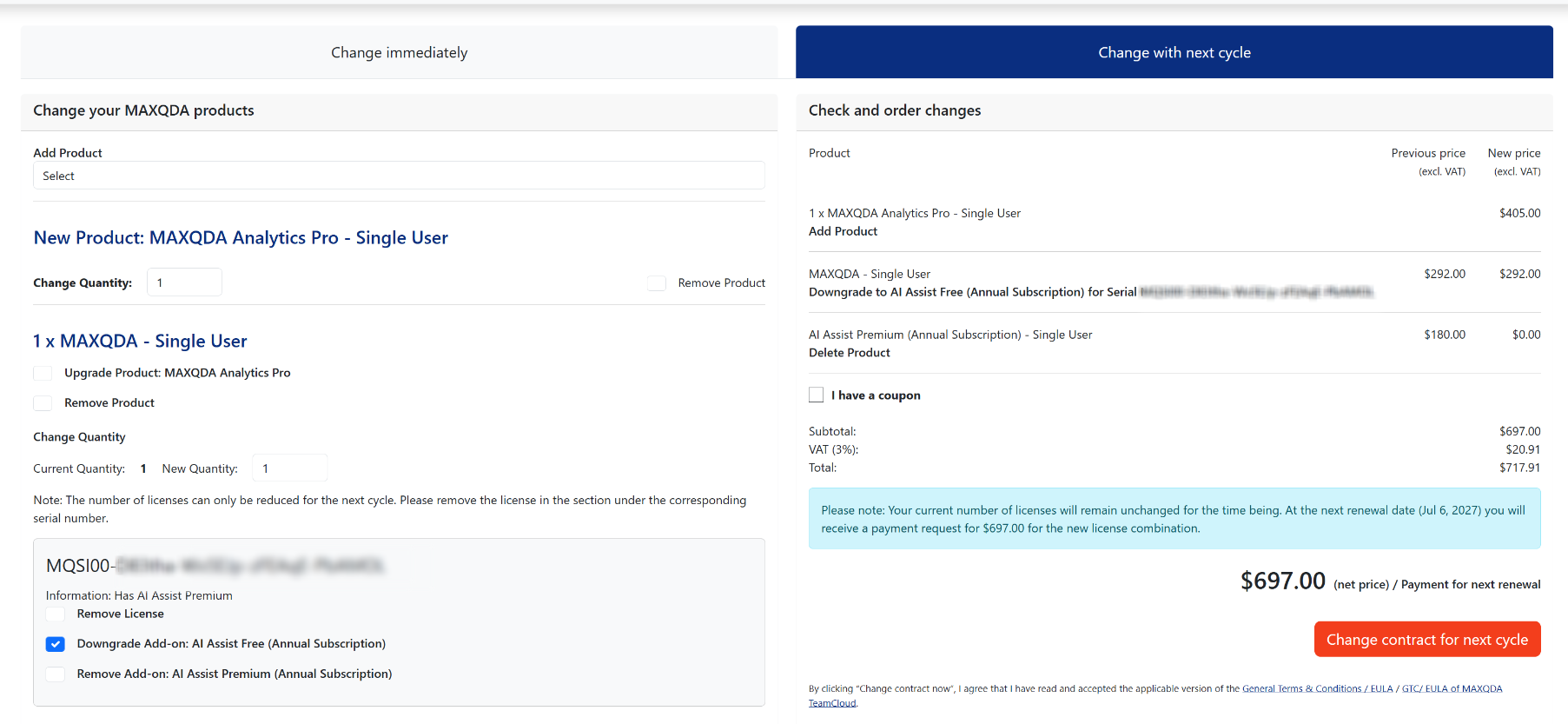
You will see an overview of your current licenses, including any associated AI add-ons. Here, you can remove AI Assist or TeamCloud from your subscription.
Cancel AI Assist
- Remove the Add-on AI Assist (you won't be able to use AI Assist at all in MAXQDA)
- Downgrade from AI Assist Premium to AI Assist Free (with the renewal, your AI Assist features are reduced to AI Assist Free)
Cancel TeamCloud
- You can remove the TeamCloud product or only one license.
- With the renewal, you won't be able to open your TeamCloud project any longer. Please download your TeamCloud project before your TeamCloud license expires.
On the opposite side, you can see how this change affects the pricing for your upcoming billing cycle.
Click "Change contract for next cycle" to apply your changes.
Was this article helpful?
That’s Great!
Thank you for your feedback
Sorry! We couldn't be helpful
Thank you for your feedback
Feedback sent
We appreciate your effort and will try to fix the article