It is likely that this file has been stored in your external files folder and the link has been broken. When a file beyond a certain size (default is 5mb) is imported, it is stored and read from an external folder to limit project file size.
You can refresh the connection to this folder through the global properties of MAXQDA > General > Click on the "..." next to Folder for External files. Then locate the folder in your Document Browser > MAXQDA > Externals.
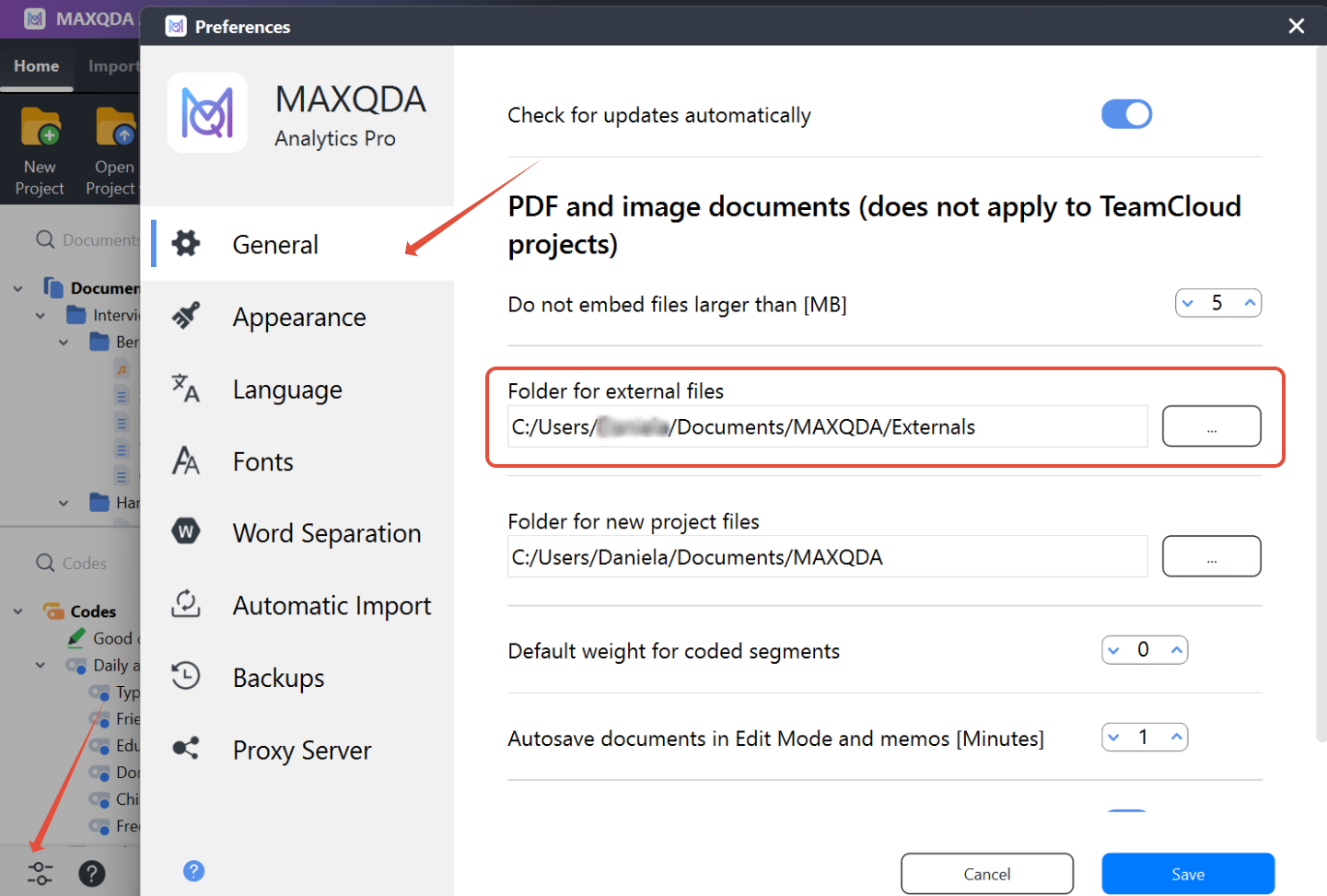
You can also check if the connection to a specific file is working properly under the "Home" tab is an option for "external Files."

You can read more about this functionality here.
Was this article helpful?
That’s Great!
Thank you for your feedback
Sorry! We couldn't be helpful
Thank you for your feedback
Feedback sent
We appreciate your effort and will try to fix the article