If you are working with text documents, you can manually align their content and then use the Teamwork feature to merge the codings.
To do so, follow these steps:
1. Create a copy of your project
Go to Home > Save project as to create a copy.
2. Merge the document content
You will need to create two documents with the exact same content to be able to integrate the coding afterwards.
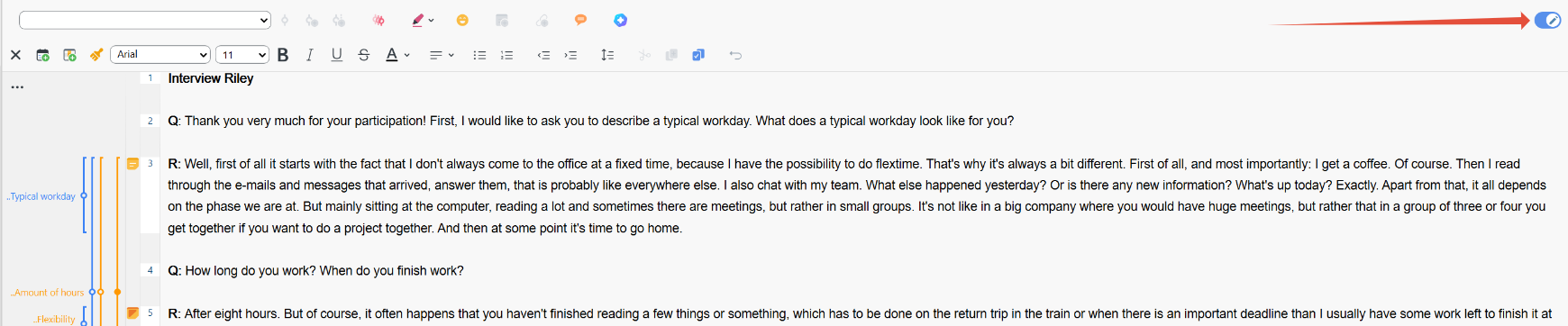
To do so, enable edit mode (bottom-right corner of the Document Browser), then copy and paste the text from each document into the other. Make sure the text is in the exact same position in both documents.
3. Export one of the documents
At this point, you will have two documents with the same content. However, each of them still has only its original codes.
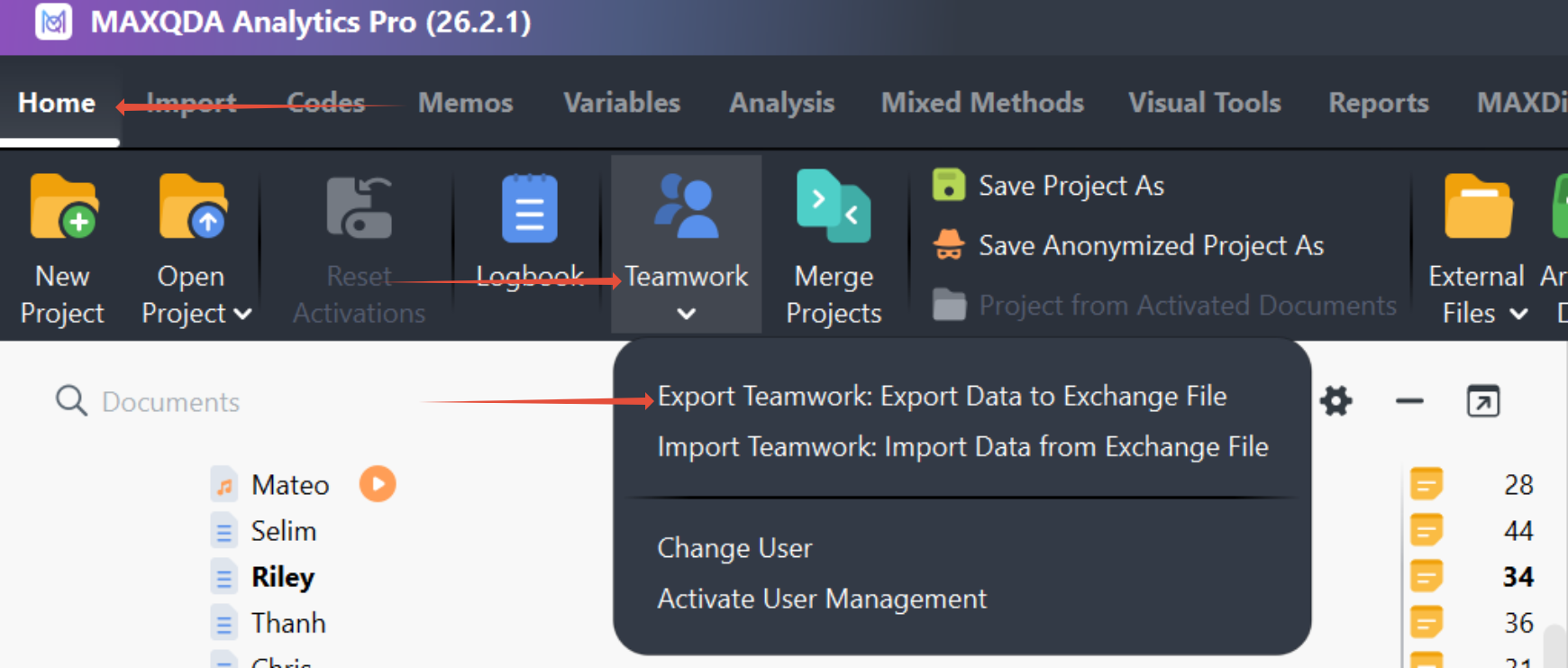
Export one of the documents via Home > Teamwork > Export Teamwork. This creates a file with the extension .mqex.
4. Delete the exported document from the project.
5. Import the .mqex file using the Teamwork feature.
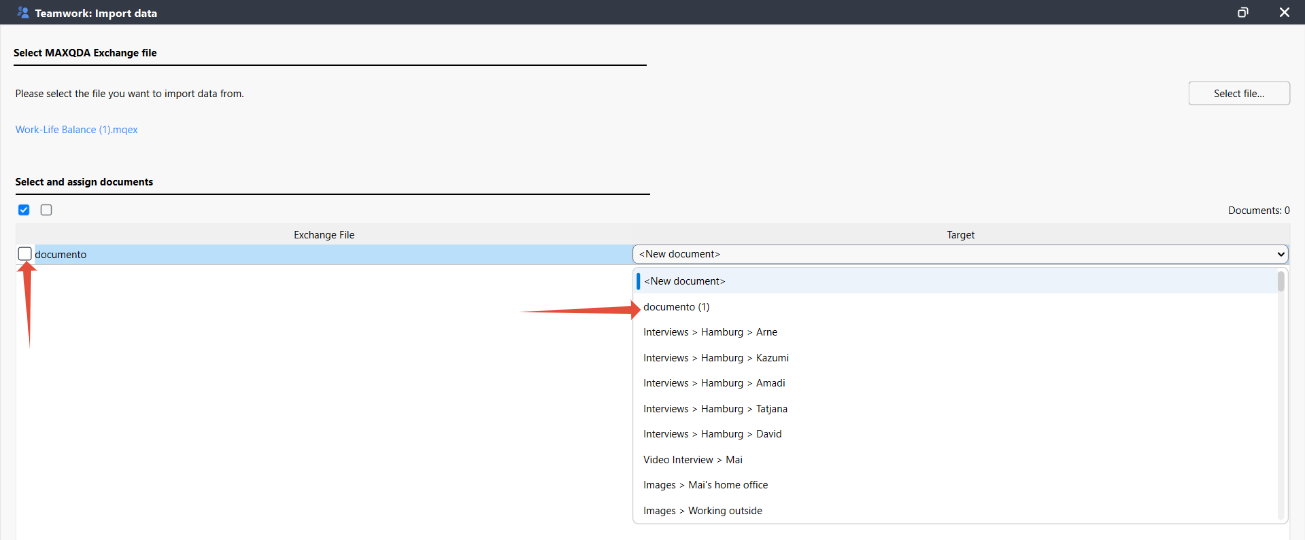
You can do so, using the complementary option Home > Teamwork > Import Teamwork
6. Map to the correct document
When importing the .mqex file, manually select the target document to merge the codes into it.
Was this article helpful?
That’s Great!
Thank you for your feedback
Sorry! We couldn't be helpful
Thank you for your feedback
Feedback sent
We appreciate your effort and will try to fix the article